
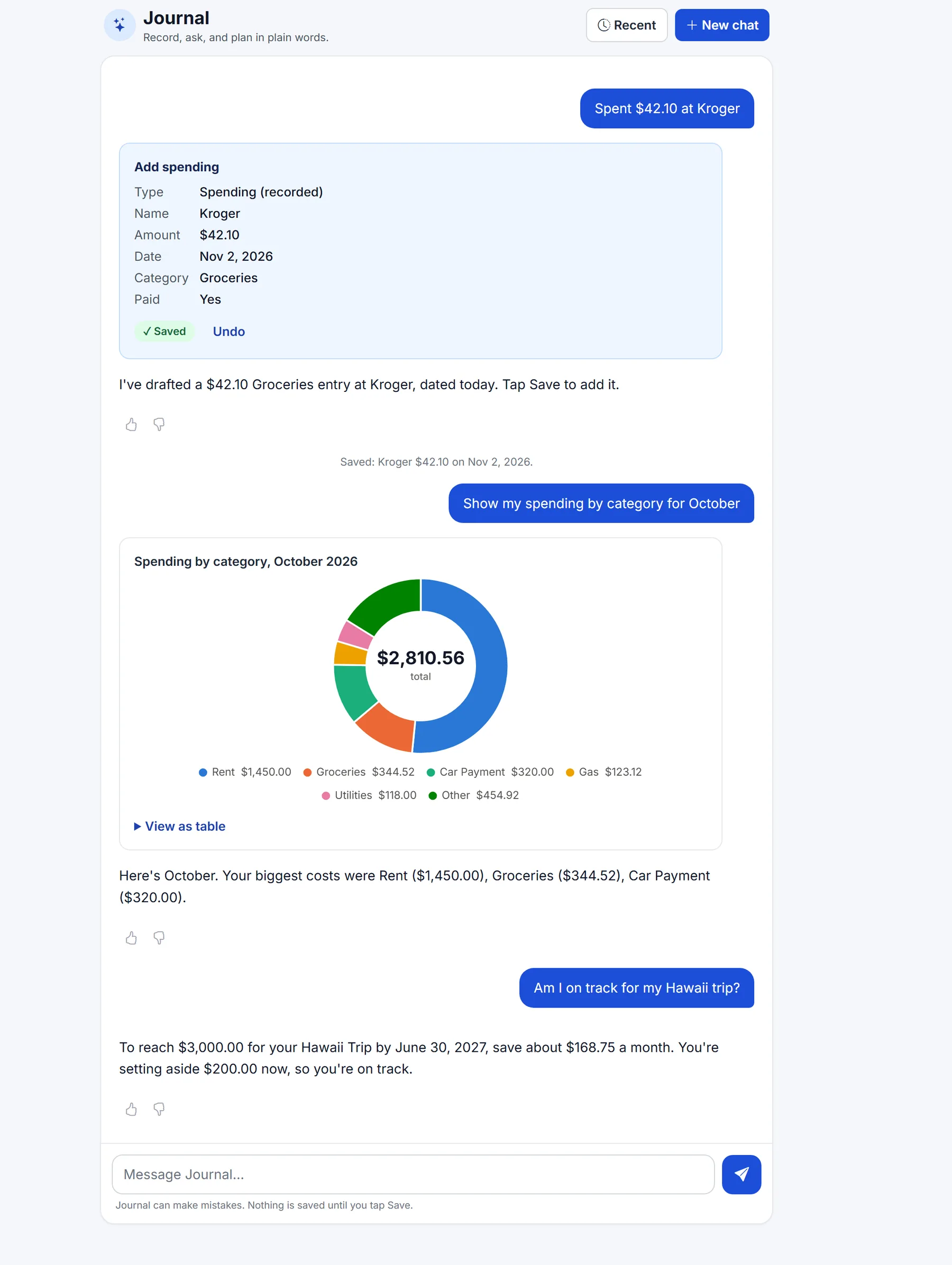
Journal
Record, ask, and chart in plain words
Type a purchase and Journal drafts it for you to Save. Ask for a chart and it draws one. Ask about a goal and it works out the monthly amount.
Gallery
Real screens from the app, with a sample account. Tap any picture to see it full size.
Journal
Type a purchase and Journal drafts it for you to Save. Ask for a chart and it draws one. Ask about a goal and it works out the monthly amount.
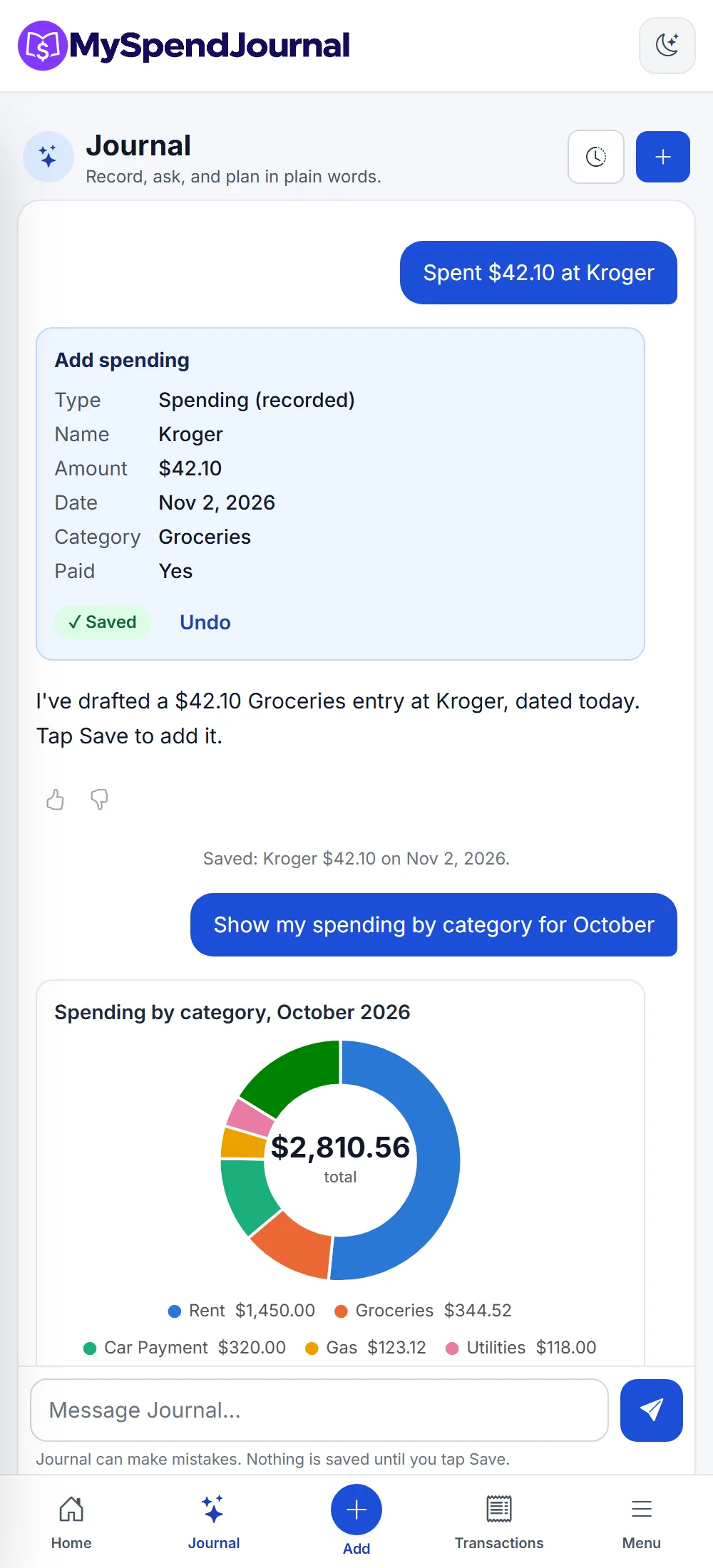
Install it like an app. Journal, Add and your transactions sit in the bottom bar.
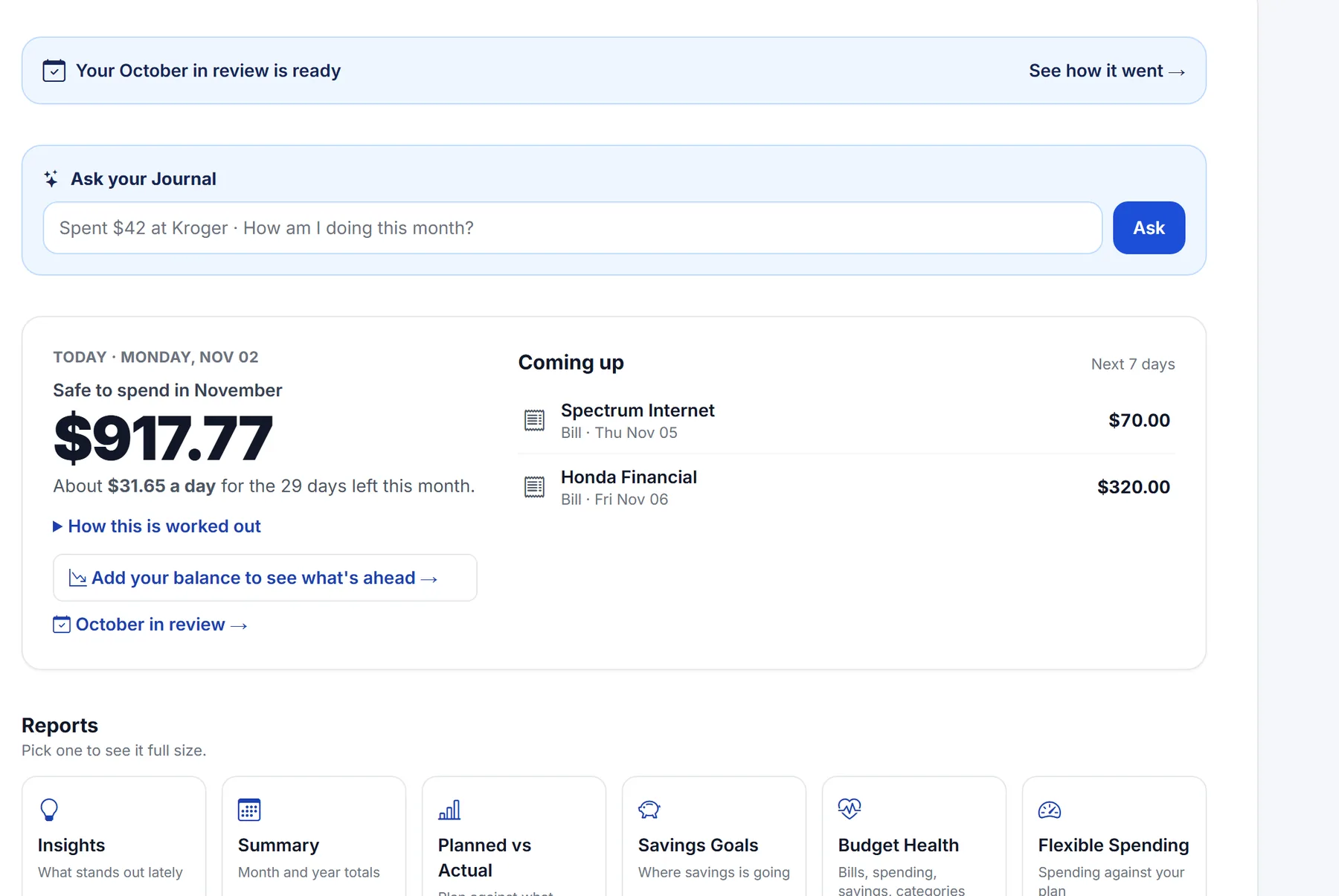
The top of your dashboard: what's left for the month, per day, and the bills due this week.
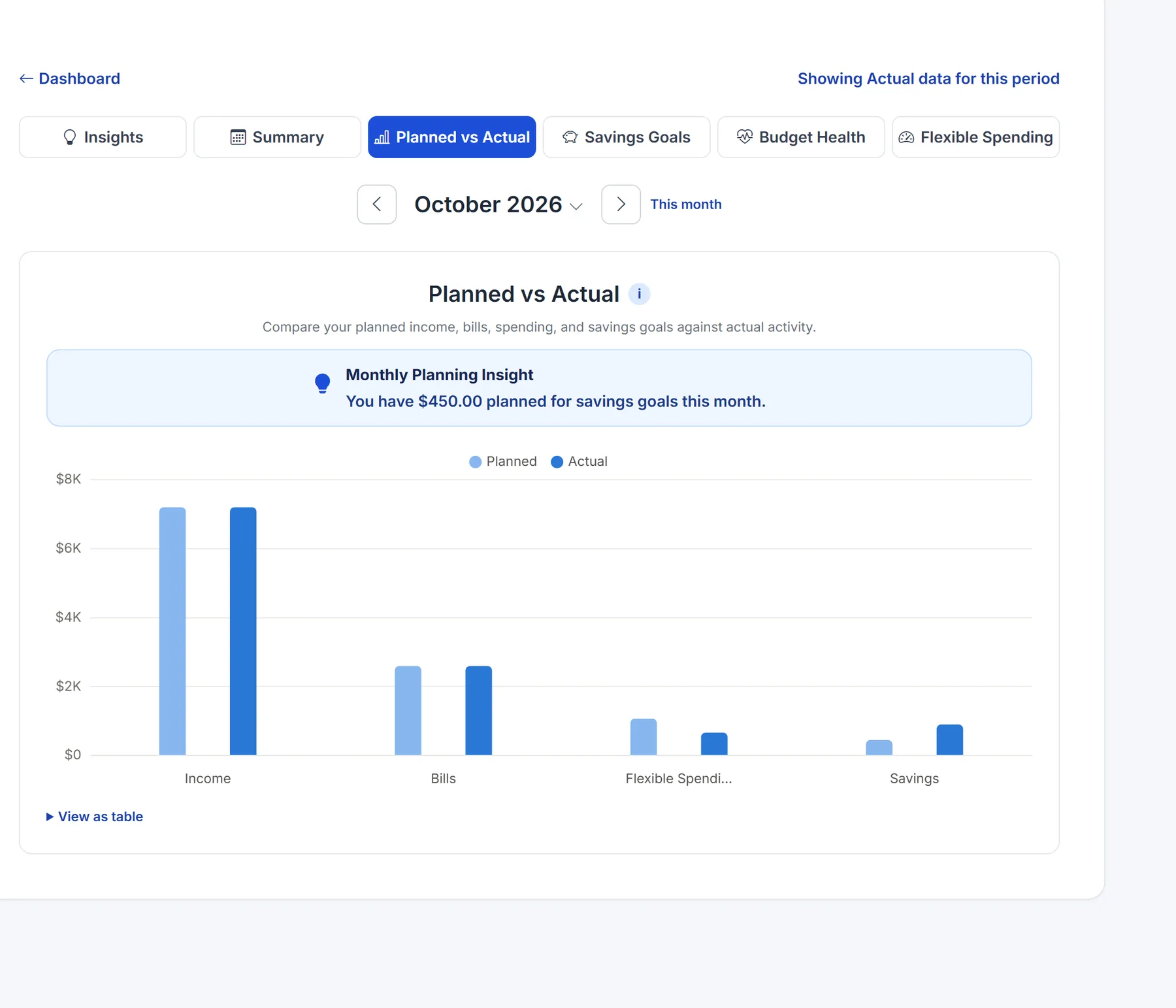
Your plan next to what really happened: income, bills, flexible spending and savings.
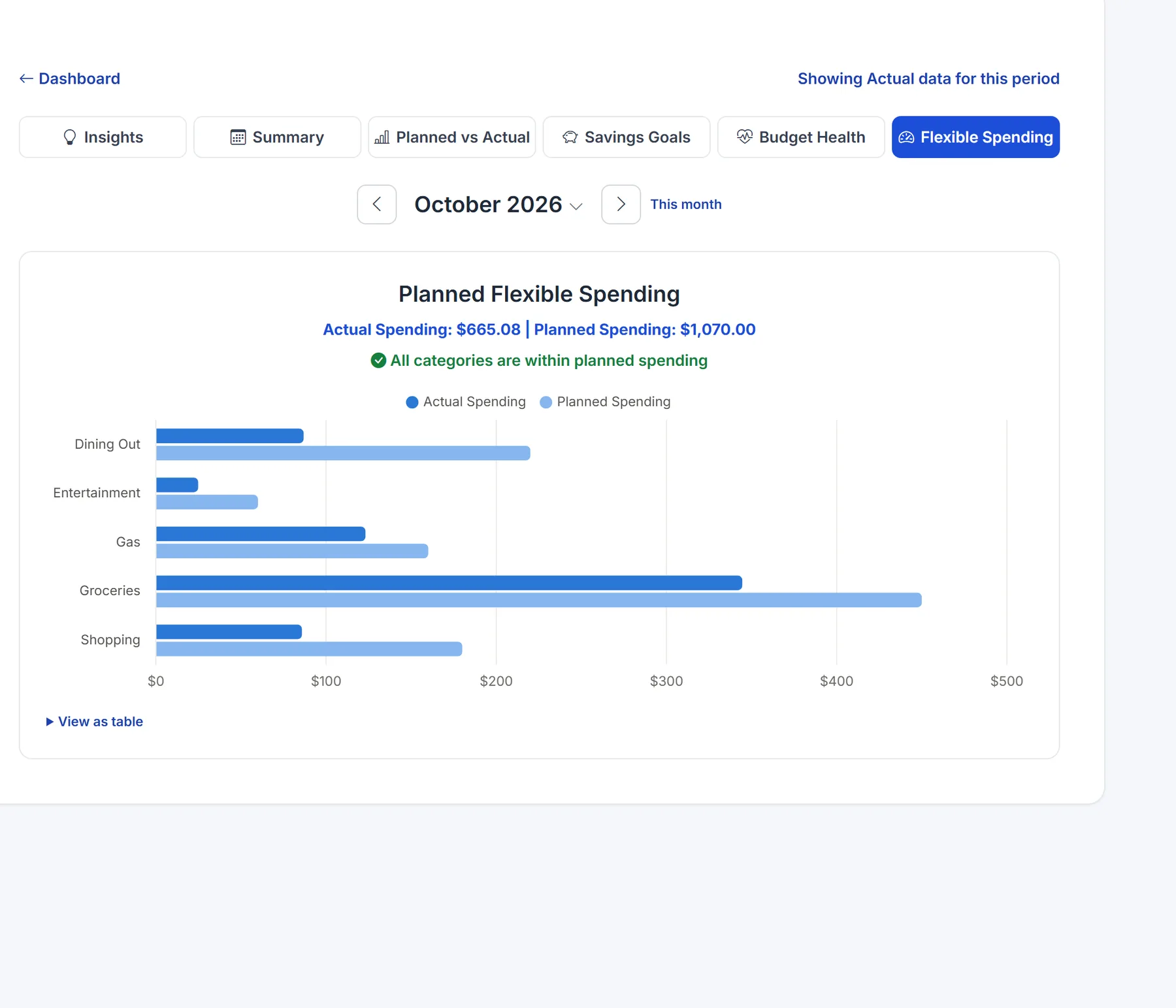
Each spending category against the monthly amount you planned for it.
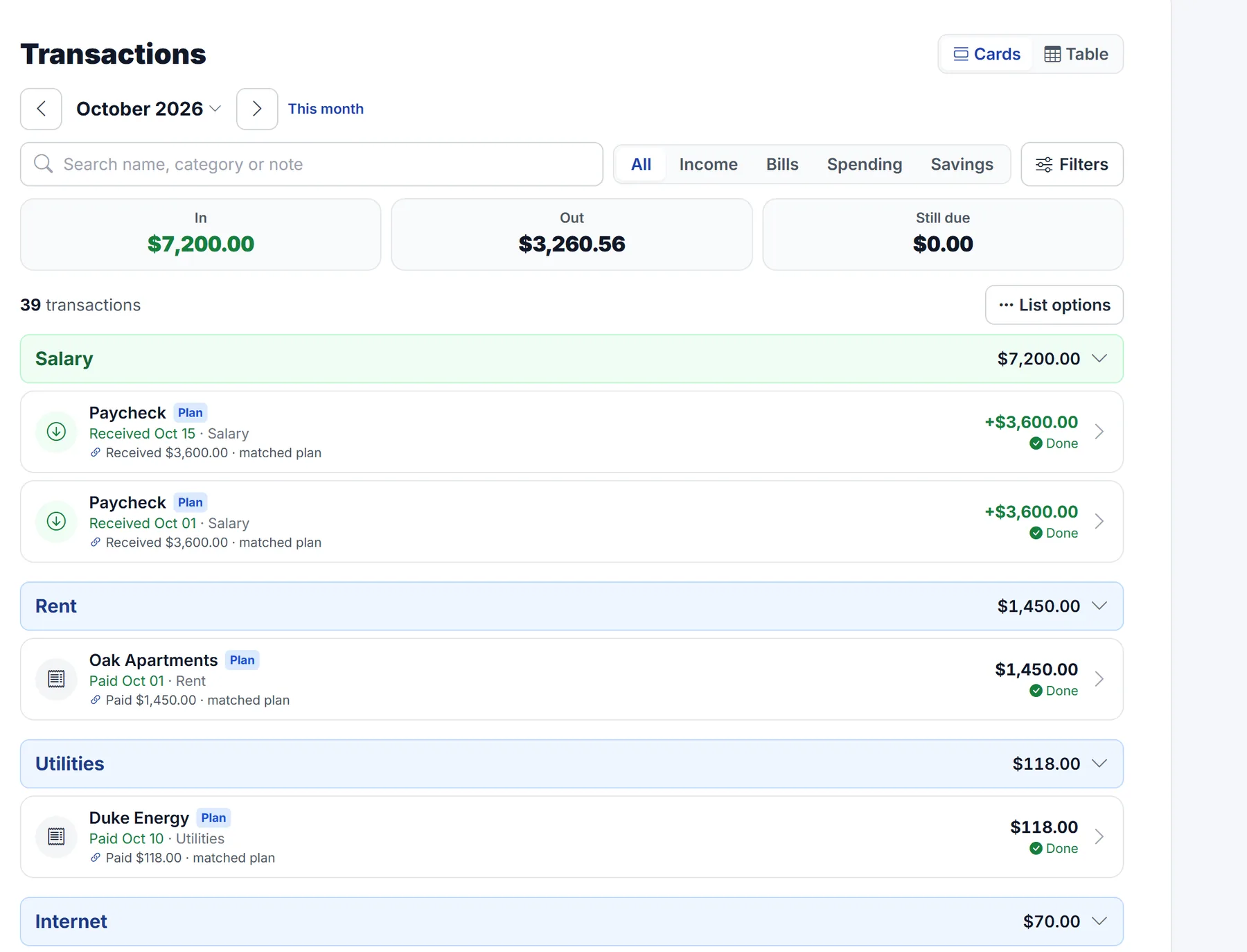
Planned and actual entries grouped by category, with matched plans marked done.
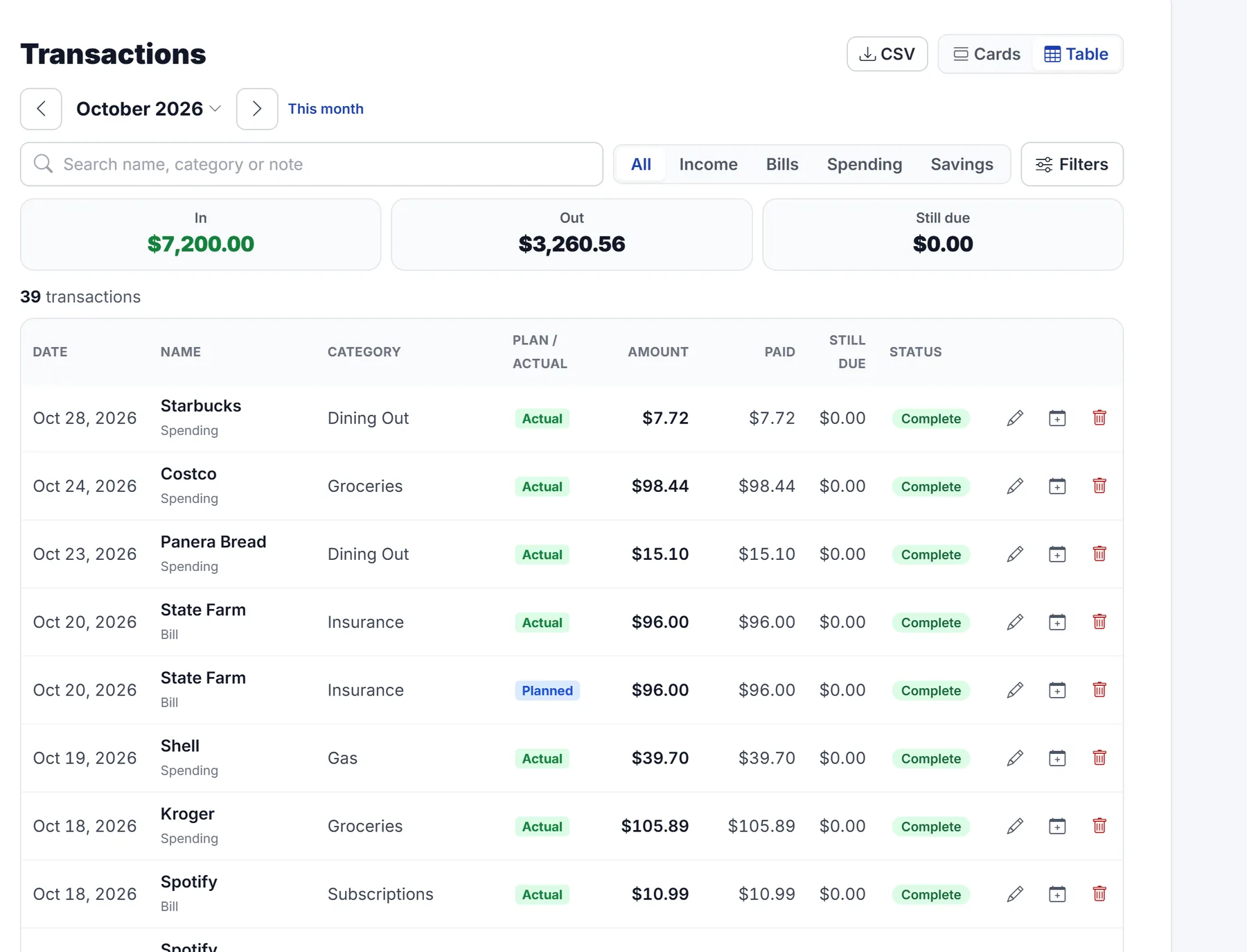
Every entry in one table, with a CSV download.
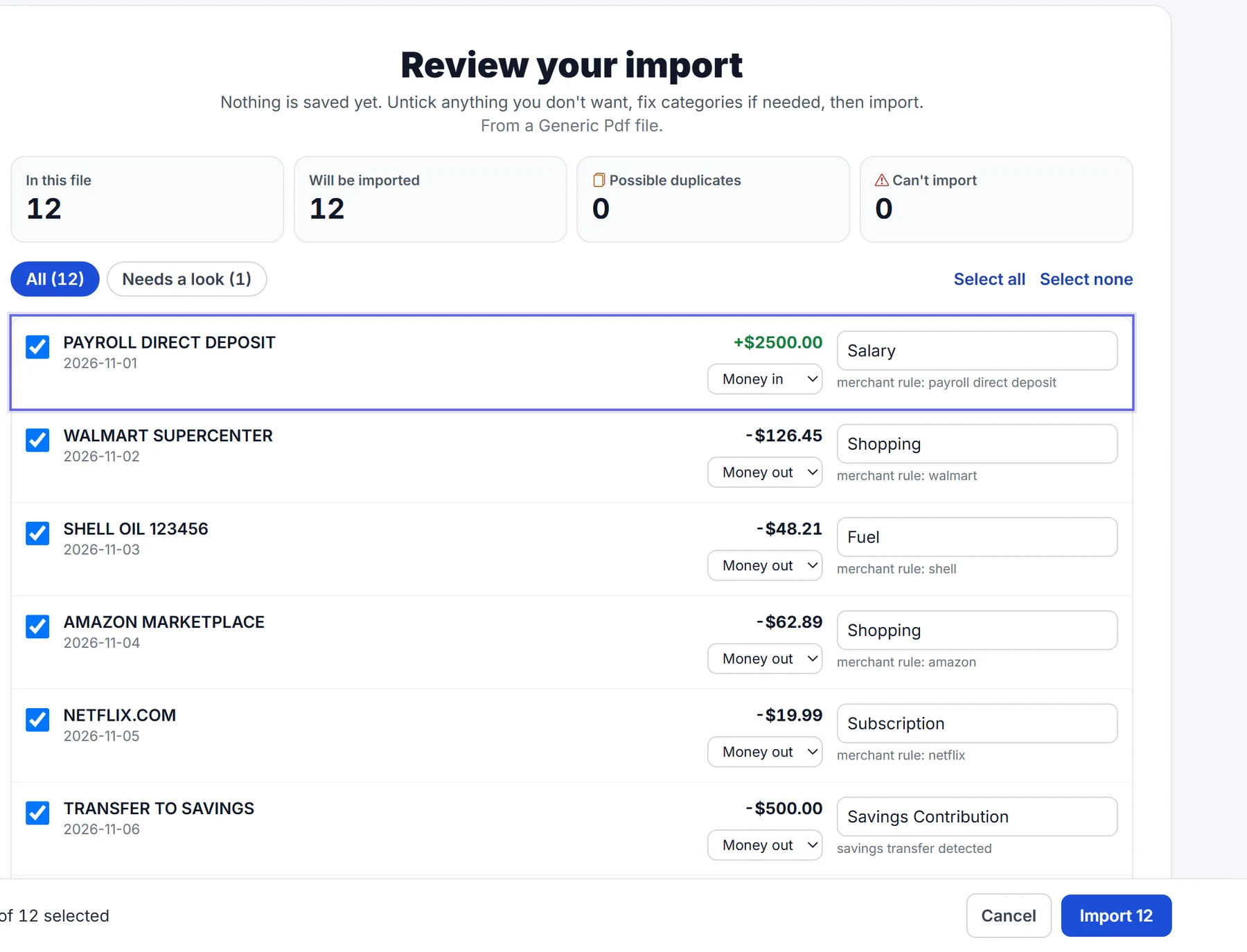
Upload a PDF or CSV statement and review every row, with categories suggested, before anything is saved.
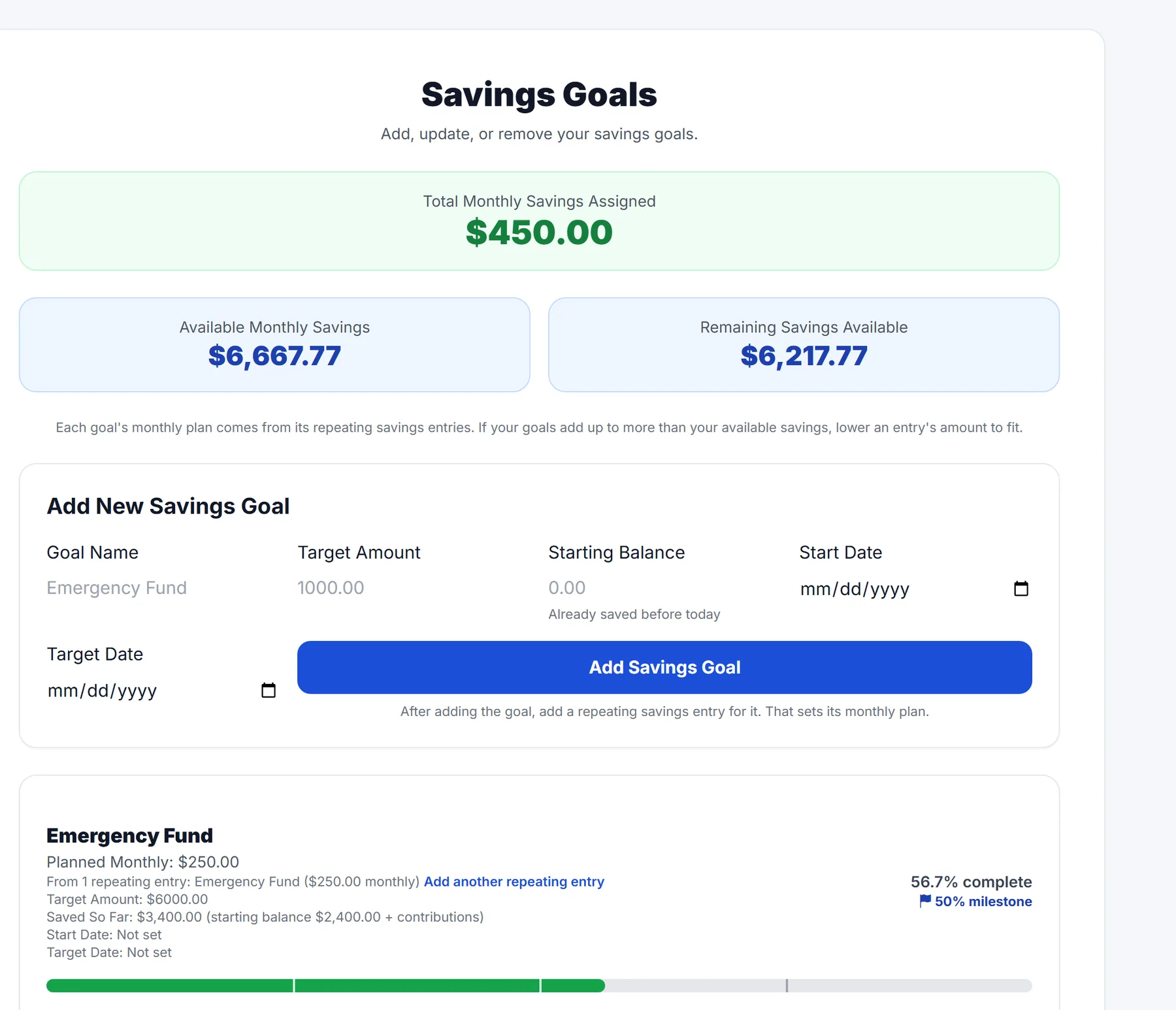
Monthly savings assigned to each goal, and the progress toward it.
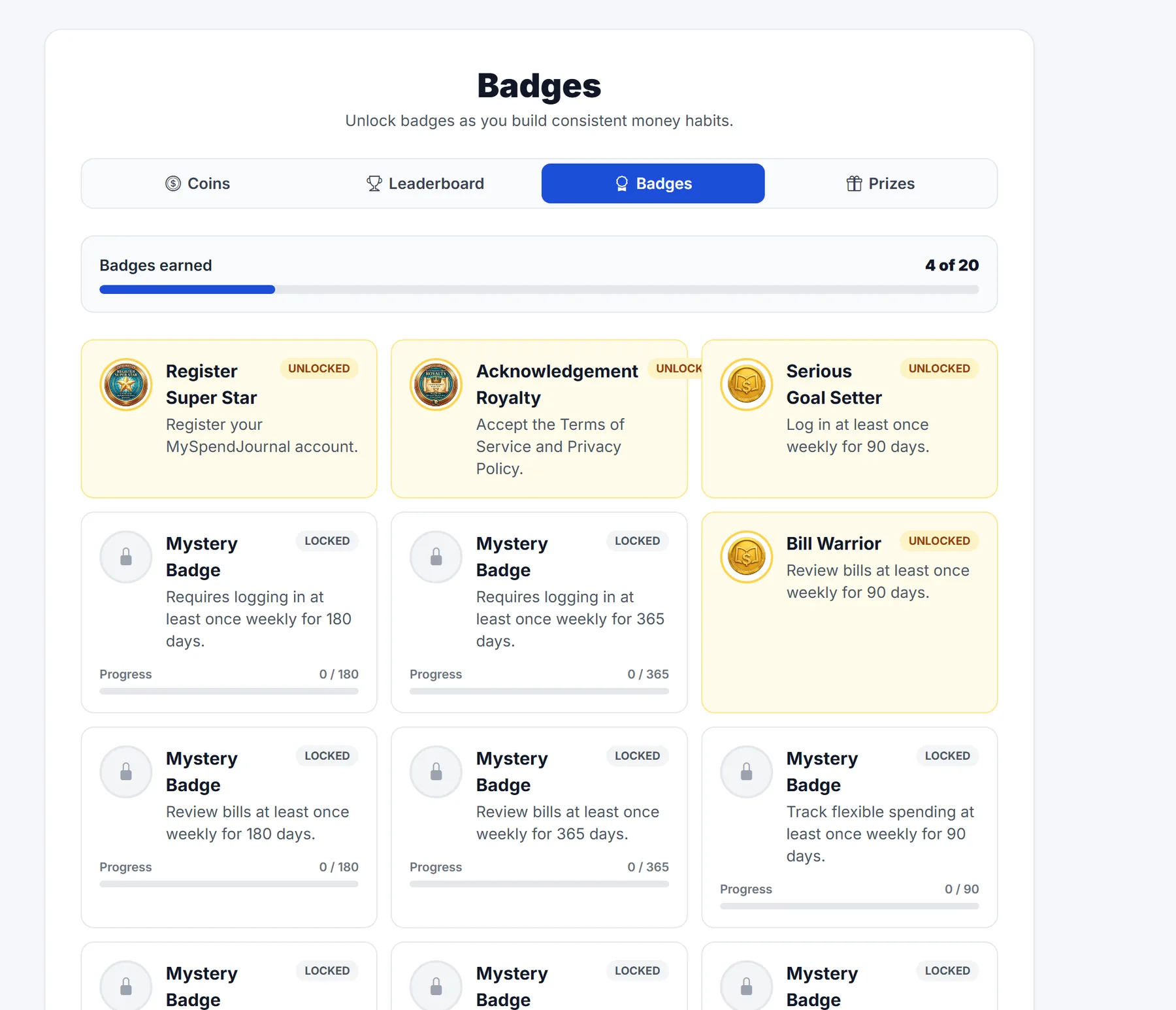
Coins, badges and an optional leaderboard for building steady habits.
Screens use a sample account; names and amounts are examples.