
Record by typing
"Spent $18 on gas yesterday." Journal fills in the amount, date and category and shows you a card to Save.
Plan · Track · Save
MySpendJournal plans your month and keeps it current. Type a purchase, a bill, or a question in your own words, and Journal, the built-in AI assistant, records it, answers from your own numbers, and shows you what's safe to spend. No bank login needed.
Your Day at a Glance
Your dashboard starts with one number: the money you've received this month, minus what you've paid and the bills and savings still due. What's left is yours for everyday spending, shown per day too. Right beside it, Coming up lists the bills and pay due this week, overdue first, so nothing sneaks up on you.
Meet Journal
Talk to Journal like you'd text a friend who's good with money. Every number comes from your own records, and every change waits for your tap.
"Spent $18 on gas yesterday." Journal fills in the amount, date and category and shows you a card to Save.
"How much did I spend on groceries last month?" Answers come from your own entries, not guesses.
"Show my spending by category." Journal draws the chart right in the chat, with a table view too.
"Save $10,000 for a house by May." Journal works out the monthly amount and can set it up for you.
"Can I afford a $400 weekend trip?" See what's left in your plan before and after.
Changed your mind? Undo for 10 minutes. Journal can also adjust alerts, limits and goals, or open the right page.
Journal uses AI from Anthropic. It gives information about your own records, not financial advice.
How It Works
One simple loop, every month, so you always know where you stand and what needs attention next.
Add your pay and bills once; repeating ones fill in automatically.
Pick monthly amounts for groceries, gas, dining out and more.
Tell Journal, add it by hand, or import a PDF or CSV statement.
See how much a month each goal needs, and track the progress.
Safe to spend, plan vs actual, and a month in review each month.
See It in Action
Compare what you planned with what really happened, review imported rows before they're saved, and spot where your money goes with clear charts.
Open the gallery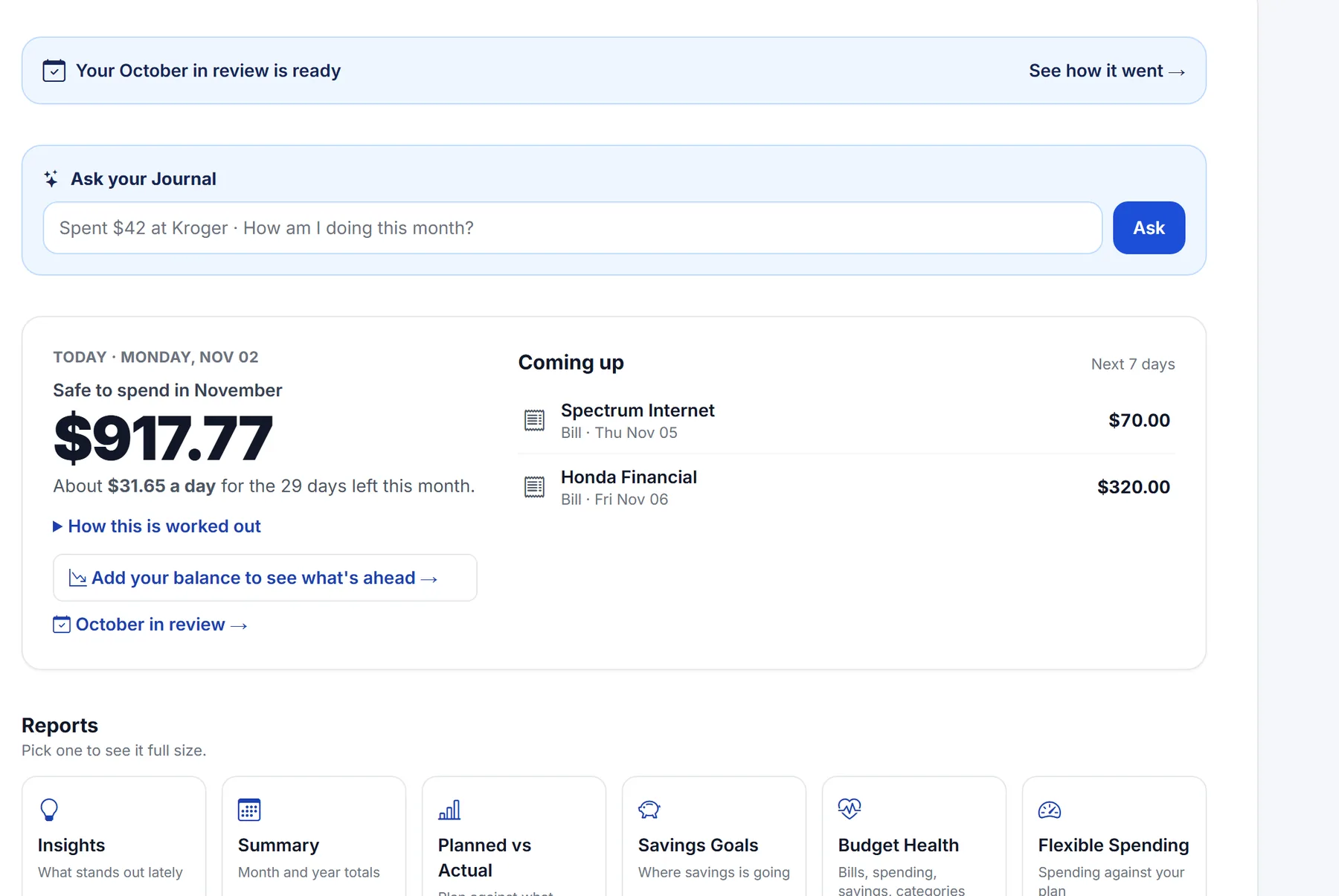
Safe to spend and Coming up, first thing on your dashboard.
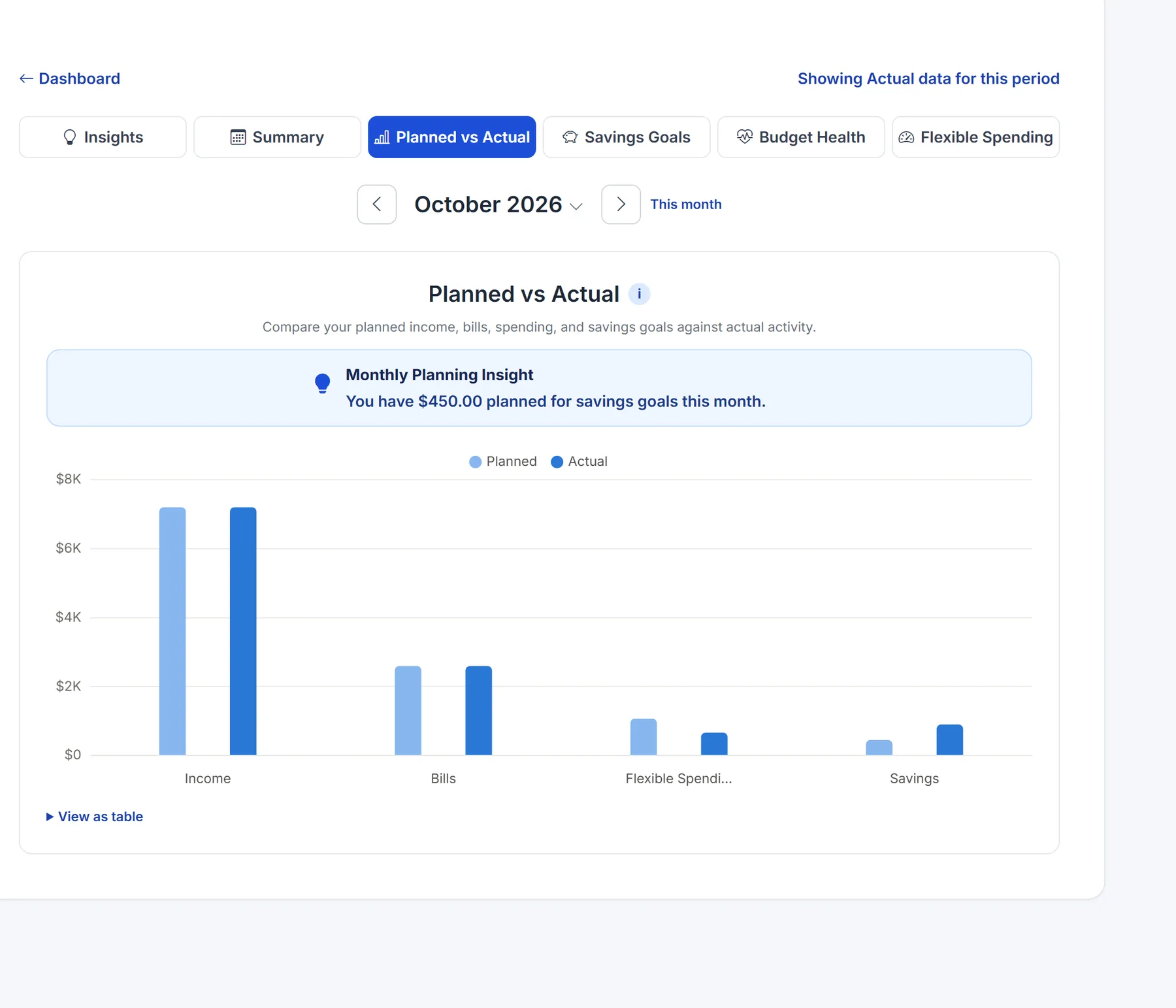
Your plan next to what really happened.
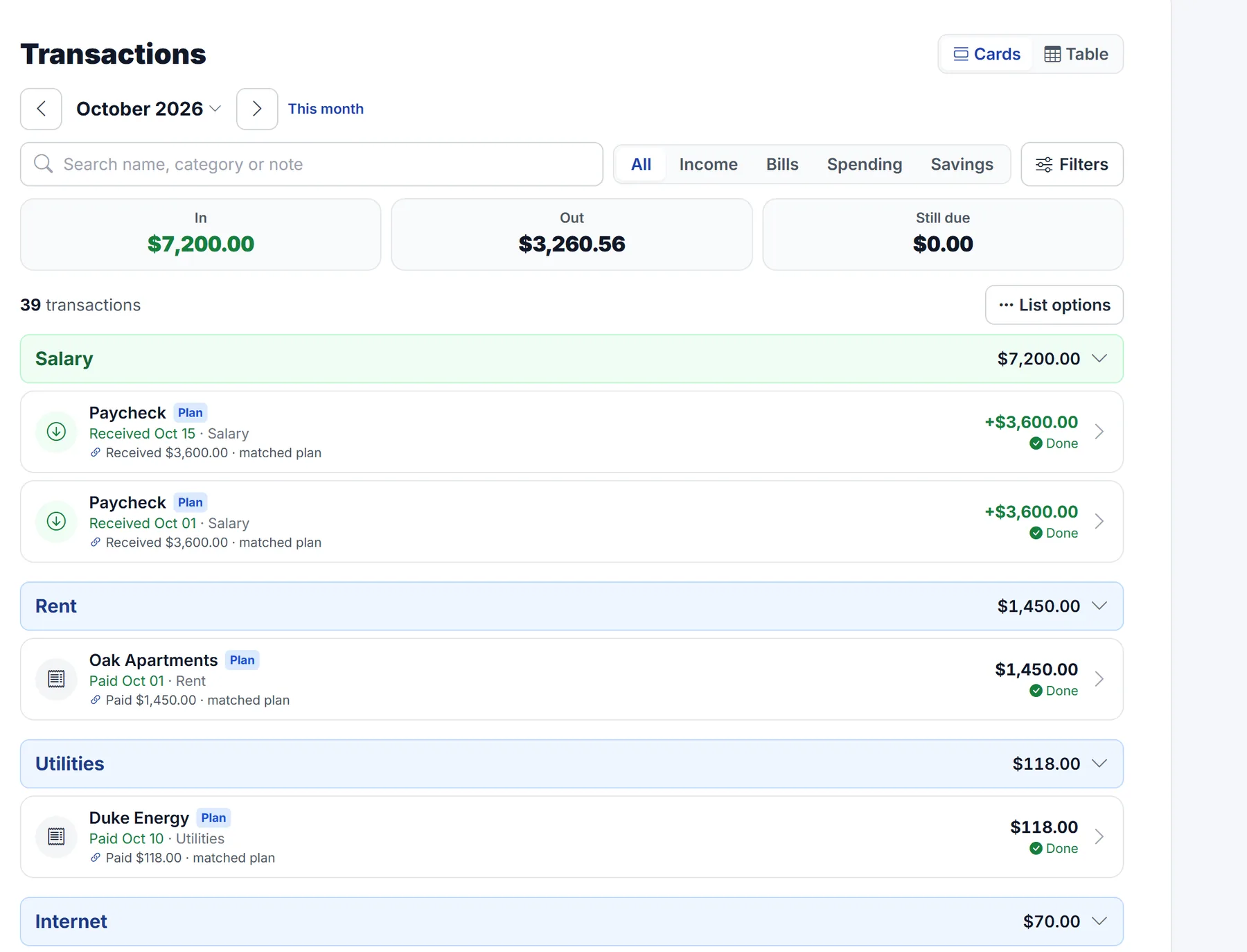
Compare planned entries with what actually happened.
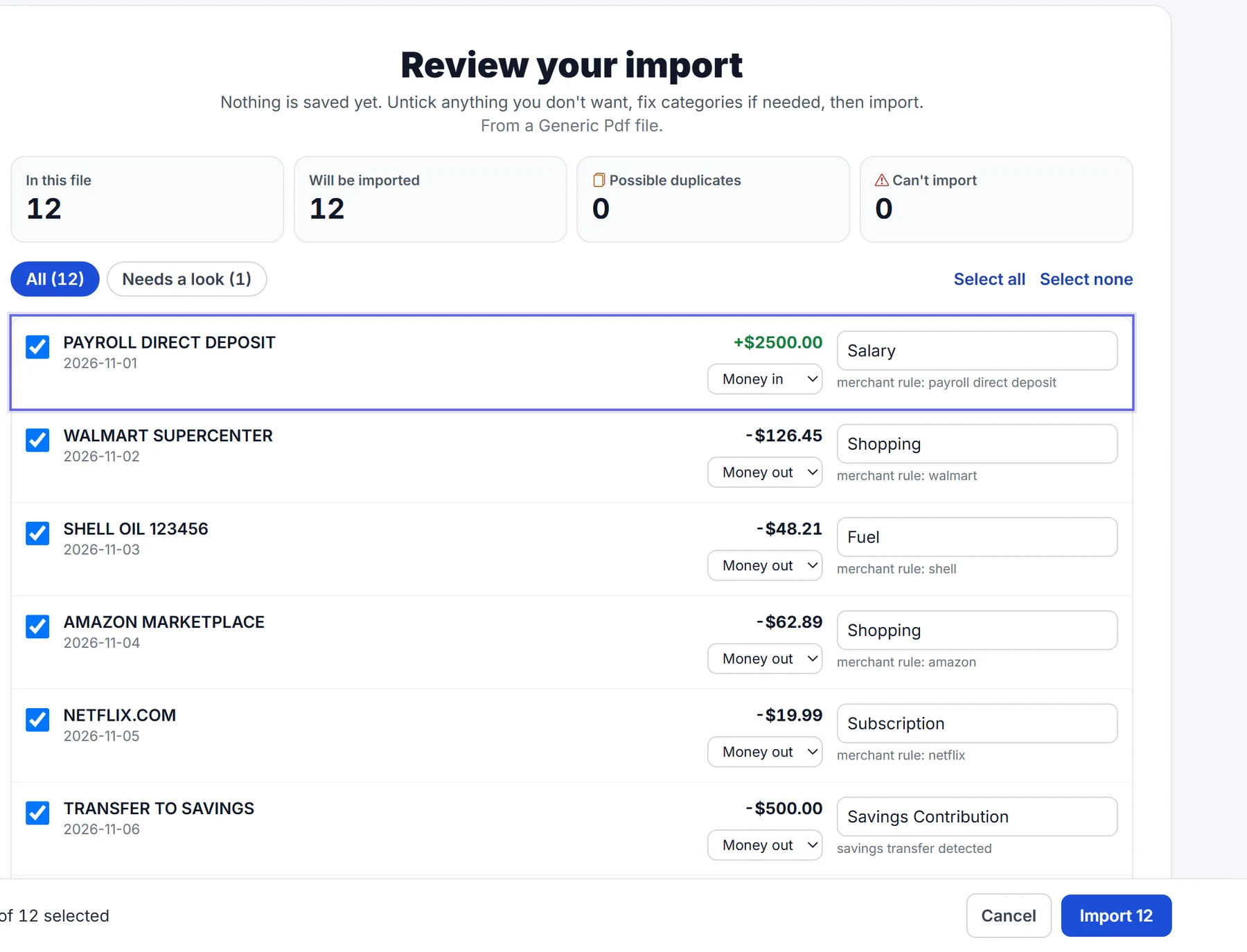
Import statement activity and review every row before saving.
Built on Trust
Journal drafts; you decide. Nothing is saved until you tap Save, and you can undo.
Totals and charts come from your own records. The AI explains them; it doesn't make them up.
Import statements yourself. MySpendJournal never asks for your online banking password.
Two-factor sign-in, and Journal conversations aren't used to train AI models.
Pricing
Try everything, Journal included, free for 7 days.
$0
Plan your month and keep the essentials.
$4.99 a month
or $49.99 a year (about two months free)
Every new account starts with 7 days of Premium, no card needed. Cancel anytime; Premium lasts to the end of the period you paid for. Journal allows up to 50 messages a day.
Plan your month in minutes, record spending as fast as you can type it, and always know what's safe to spend.
Start Your Free 7-Day TrialApp Links
Use MySpendJournal on the web, your phone, or download from supported app stores.